DeepSeek Model, API and Local Deployment Guide
A practical DeepSeek guide to model selection, API integration, environment assessment, local deployment resources, data handling and common configuration issues.
DeepSeek Deployment & Usage Guide
Three ways: Free web chat / API calls / Local deployment
Option 1: Free Web Chat (Zero Barrier)
Visit chat.deepseek.com for free access to DeepSeek-V3 and R1. Supports DeepThink mode, web search, file upload, voice input. iOS/Android app available. 131M+ monthly active users, #1 in App Store across 157 countries.
Option 2: API Access (For Developers)
Register at platform.deepseek.com for an API Key. 5M free tokens for new users. OpenAI-compatible format — just change base_url and api_key. V3.2 input costs only $0.27/M tokens.
Option 3A: Ollama Local Deploy (Easiest)
Install Ollama (ollama.com), run ollama pull deepseek-r1 to download. Distilled models from 1.5B to 70B. Pair with Open WebUI for ChatGPT-style interface. Fully offline, data stays local.
Option 3B: vLLM Deploy (Production)
Enterprise-grade. pip install vllm, download weights from Hugging Face, tensor parallelism across multiple GPUs. FP8 and BF16 precision. For NVIDIA H100/H200 clusters.
Option 3C: SGLang Deploy (Officially Recommended)
DeepSeek's recommended framework with MLA optimizations, DP Attention, FP8 KV Cache, Torch Compile. Supports both NVIDIA and AMD GPUs. Best latency and throughput.
Start Using
All methods provide OpenAI-compatible APIs. For API top-up, use Neuronicx to get DeepSeek, Claude, and OpenAI API credits.
DeepSeek Deploy Commands
Copy & paste (source: github.com/deepseek-ai)
# Install Ollama
curl -fsSL https://ollama.com/install.sh | sh

# Pull DeepSeek model
ollama pull deepseek-r1:7b      # 8GB+ GPU
ollama pull deepseek-r1:32b     # 24GB+ GPU

# Run chat
ollama run deepseek-r1:7b

# Optional: Open WebUI for GUI
docker run -d -p 3000:8080 \
  --add-host=host.docker.internal:host-gateway \
  -v open-webui:/app/backend/data \
  -e OLLAMA_BASE_URL=http://host.docker.internal:11434 \
ghcr.io/open-webui/open-webui:mainCheck Before You Act or Buy
Use the current listing, official documentation and actual account state
Confirm the Service Type
Distinguish a membership, API credits and software access before ordering.
Check Account Eligibility
Review the account region, current plan, sign-in method and applicable restrictions.
Review Current Terms
Confirm price, term, quota, delivery steps and available payment methods on the listing.
Confirm Support Scope
Use the listing, help center and order notes for the current support scope and hours.
DeepSeek Cost Breakdown
Three usage methods compared
Cost Structure
Free Usage
- •chat.deepseek.com and App are completely free
- •Ollama local deployment is completely free
API Pay-Per-Use
| Model | Input | Output |
|---|---|---|
| V3.2 | $0.27/M | $1.10/M |
| R1 | $0.55/M | $2.19/M |
18.5x cheaper than GPT-5. New users get 5M free tokens.
Competitor Comparison
| Model | Input | vs V3.2 |
|---|---|---|
| DeepSeek V3.2 | $0.27/M | — |
| GPT-5 | $5.00/M | 18.5x more |
| Claude Opus | $5.00/M | 18.5x more |
Get API Keys
Use Neuronicx for DeepSeek API, Claude API, OpenAI API — We currently accept USDT (TRC20) only.
DeepSeek Interface & Ecosystem
From deepseek.com and GitHub

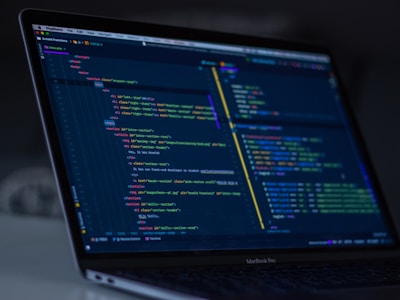
Free Chat
chat.deepseek.com with DeepThink
API Platform
platform.deepseek.com
Ollama Deploy
One command local deployment
Hugging Face
Full weights available

GitHub Open Source
101K+ Stars, MIT License
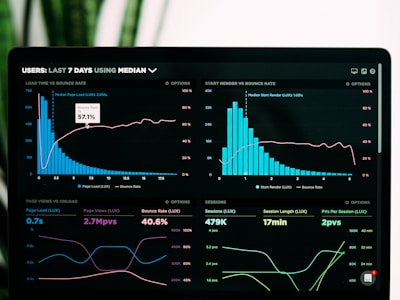
Benchmarks
Leading open-source models
Video Tutorials
Learn DeepSeek step by step
Host DeepSeek-R1 Locally
DeepSeek R1 — Everything You Need to Know
Deploy DeepSeek on AWS Bedrock
Frequently Asked Questions
Common questions about DeepSeek
Need to Check the Current Listing?
Tutorials explain a general workflow. Use the current listing for price, stock, eligibility, delivery time and support scope.
Third-party product names identify relevant listings and do not imply authorization, endorsement or partnership.
Direct answer
First decide whether to call a DeepSeek API or deploy locally. APIs offer faster integration; local deployment requires current model, hardware, operations, security and data assessments.
Third-party product names and trademarks identify relevant listings and remain the property of their respective owners. Unless a listing expressly states otherwise, no authorization, endorsement or partnership is implied.